A real OBS control room, not a read-only grid
OBS's built-in multiview is a passive fullscreen grid, and a phone scene-switcher isn't a control surface. CTD Live Studio is a native macOS OBS control room that puts multiview, studio-mode switching, an audio mixer, macros, and automation in one window. It connects to OBS Studio over obs-websocket 5.x — no capture card, no OBS plugins, nothing installed beyond OBS's built-in WebSocket server. If you've been hunting for OBS multiview on Mac that you can actually drive, this is it.
Metal multiview with hardware-accelerated live feeds
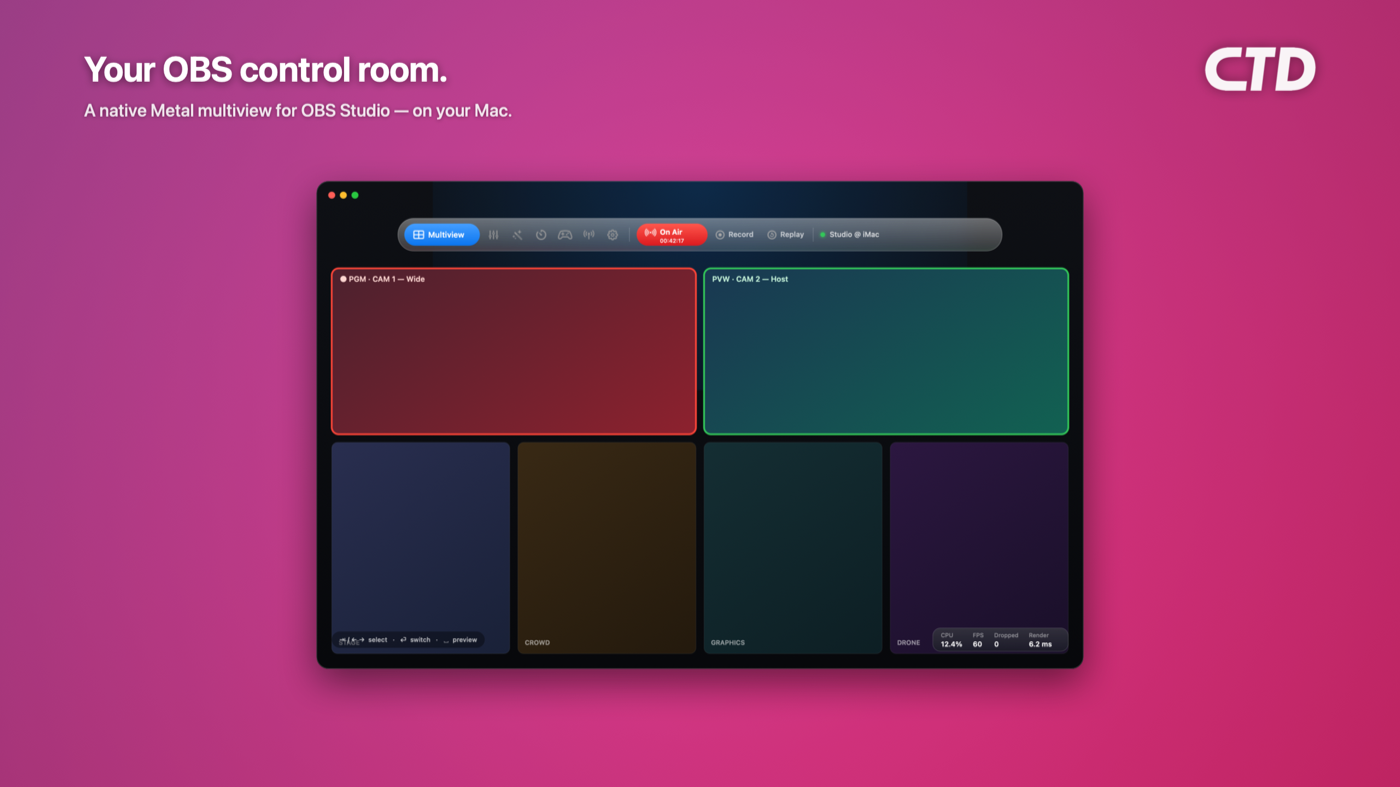
Choose OBS-style layouts — Preview + Program on top with a 4/8/12-scene grid below, pure 2×2 / 3×3 / 4×4 grids, or program-only — all rendered on one Metal GPU surface with on-demand redraw. JPEG frames decode through VideoToolbox, the hardware JPEG decoder on Apple silicon, and map zero-copy into Metal textures via CVMetalTextureCache, so decode and upload stay off the main thread while the UI just swaps a texture pointer. This is the OBS Studio Mode multiview Mac operators have wanted: live PVW/PGM and a real scene grid on a separate monitor or a second Mac, not a finicky fullscreen window.
Instant scene switching and Studio Mode TAKE
Click a scene to send it to preview, double-click to take it to program, and right-click to pin — with red/green program/preview borders, scene labels, and a transition picker with duration. Flip on Studio Mode for a proper preview-to-program TAKE workflow, or switch from the keyboard (arrows and Tab to select, Return to switch with a transition, Space to stage preview). An iPhone-style edit mode lets tiles jiggle and rearrange, while a scene checklist popover controls exactly which scenes appear — turning OBS scene switching on Mac into a fast, tactile show-calling surface.
Control surfaces: hotkeys, game controllers, and MIDI
Bind system-wide keyboard shortcuts, game controller buttons (Xbox, PlayStation, or MFi), and MIDI notes and CCs to scenes, macros, or single OBS actions — each captured with press-to-learn. That makes CTD Live Studio a software OBS control surface and a genuine Stream Deck alternative for Mac: instead of buying a button pad, you switch OBS scenes with a game controller or map MIDI to your show using the controllers you already own. There's also a raw obs-websocket request escape hatch for power users who want to fire anything the protocol supports.
Audio mixer, broadcast toggles, and live stats
Ride your levels from a built-in OBS audio mixer with faders, mutes, and live per-channel meters fed by high-volume obs-websocket meter events — no need to crowd your OBS machine. Toggle stream, record (with pause), virtual camera, and replay buffer, each with live timecodes, and keep an eye on CPU, render fps, dropped frames, and render time. It's the OBS audio mixer remote and broadcast control that lives right alongside the multiview, so you run the whole show from one window.
Automation: macros, playlists, and trigger rules
Build macros as sequences of actions with delays — "switch to Starting Soon, wait 5 seconds, start stream" — runnable from the UI or any binding, and macros can even call other macros. Auto scene switching covers timed scene playlists (with loop and stop-on-manual-switch) and event rules like "when streaming starts, do X" or "when my mic mutes, show an overlay," cooldowns included. It's OBS macros and automation without an Advanced Scene Switcher plugin or config files — all native, all in the app.
Built for Mac, with a menu bar quick switcher
CTD Live Studio is a native macOS app, a universal binary for Apple Silicon and Intel, requiring macOS 13 Ventura or later and OBS Studio 28+ with the WebSocket server enabled. A menu bar quick switcher lets you change scenes without opening the main window, and your OBS password stays on your Mac in the app's own sandboxed storage, under App Sandbox and Hardened Runtime, sent only to your own OBS server. Compared with browser remotes or cross-platform tools like Touch Portal and Bitfocus Companion, you get hardware-accelerated VideoToolbox decode, Metal zero-copy textures, and native macOS security with zero plugins and zero config.
Pair it with CTD Live Mobile for the iPhone and iPad
Want to call the show from across the room? CTD Live Mobile is the companion iPhone and iPad remote built on the same engine — a landscape game-deck multiview, tap an angle to preview, a big TAKE button to cut to program, QR pairing, pulsing stream/record tally, and game-controller support over Bluetooth or USB-C. Studio runs the control room on your Mac; Mobile is the OBS remote in your pocket. Together they cover the desk and the floor.